Write a Clear Creative Brief
Describe your goal, references, visual direction, and next step so the Agent can propose a focused plan and respond to useful feedback.
A useful Agent brief describes the finished piece and what you want to happen next. You can use ordinary language. Give the Agent enough concrete detail to make decisions, then refine the plan in the conversation.
Include the decisions that matter
| Include | Example |
|---|---|
| Goal | A short product film for a skincare serum. |
| Target format | 8 seconds, vertical 9:16. |
| Subject and reference | Use the attached photo for the bottle shape, color, and label. |
| Visual direction | A clean pink studio, soft light, and gentle camera motion. |
| Constraints | No people, dialogue, music, or added text. |
| Next action | Propose two shots first; do not generate assets yet. |
Treat duration and aspect ratio in the brief as your target. Check the generation options offered for the chosen model when you proceed.
Copy a first-project brief
Attach a clear product photo, then adapt this request to match your subject:
Create an 8-second vertical 9:16 product film for the serum
in the attached photo.

Use a clean pink studio, soft light, gentle camera motion,
and a dewy skincare mood.

Keep the bottle shape and label consistent with the reference.
No people, dialogue, music, or added text.

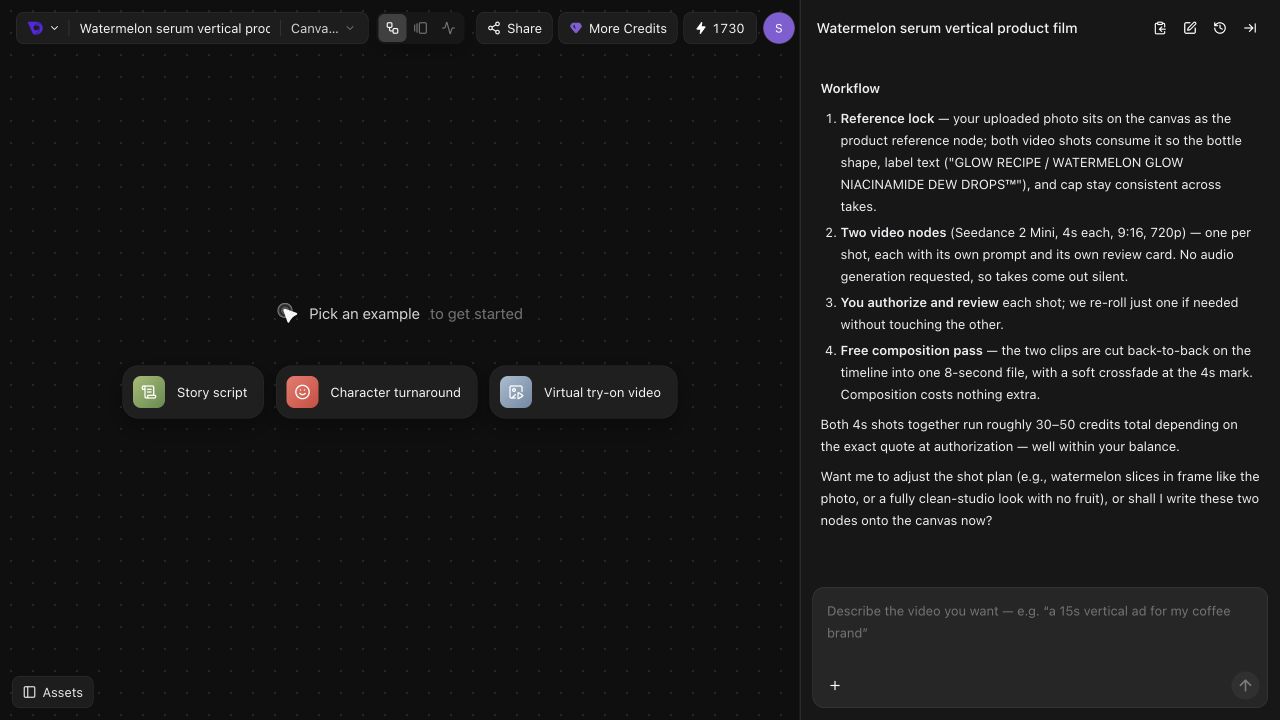
First propose two shots and explain the workflow.
Do not generate assets yet. Reply in English.
This gives the Agent a specific subject and look while leaving room to propose the shots. The final two lines make the immediate task clear: plan the sequence for review.
Give each reference a role
An attachment is easier to use when you explain why it is there. Say whether it defines the product, character, setting, visual style, or another part of the brief.
Use the attached product photo for the bottle's shape, color,
and label. Change the background to a clean pink studio.
Keep the product recognizable; do not copy the original background.
When using several references, identify each by its filename or a clear visual description. Separate the facts to preserve from the details you want to change.
Reference instructions express your intent. Inspect the generated result for the product shape, label, colors, and other details that matter to your project.
Improve the plan with specific feedback
Review what the Agent actually proposed. If the direction is close, change the few decisions that need work.
| Instead of | Give an actionable revision |
|---|---|
| “Make it more premium.” | “Use a plain studio background, softer light, and a slower camera move.” |
| “The idea is wrong.” | “Keep the product close-up. Remove the fruit and use an empty pink studio.” |
| “Make it shorter.” | “Keep the target at 8 seconds and limit the plan to two shots.” |
| “Try again.” | “Keep the bottle and pink palette. Revise only the camera action in the second shot.” |
You can make several related changes in one reply:
Keep the pink studio and the same product reference.
Remove the fruit. Use two shots with gentle camera movement.
Keep the target at 8 seconds, with no added text or sound.
Revise the plan only; do not generate assets yet.
After the revised plan matches your goal, tell the Agent which part you want to work on next. Review the model, settings, and displayed cost when a generation request is prepared. Use Credits and Subscriptions for billing details.
Keep the conversation focused
Start a revision by naming the shot or asset. Say what to keep, what to change, and whether you want a new plan or a new result. If your request is only an explanation, say so explicitly.
For example: “Explain why you chose this camera move. Do not generate anything.”
Return to Meet Veo3 AI Agent for the homepage entry points and project workspace.